Configure a Palo Alto Firewall
Note
Step 1: Add the Reemo addresses
In Objects > Addresses, add the following addresses (Type: FQDN):
reemo-download:
download.reemo.ioreemo-signal:
signal.reemo.ioreemo-turn-cloudflare:
turn.cloudflare.comreemo-turn1:
turn1.reemo.ioreemo-turn2:
turn2.reemo.io
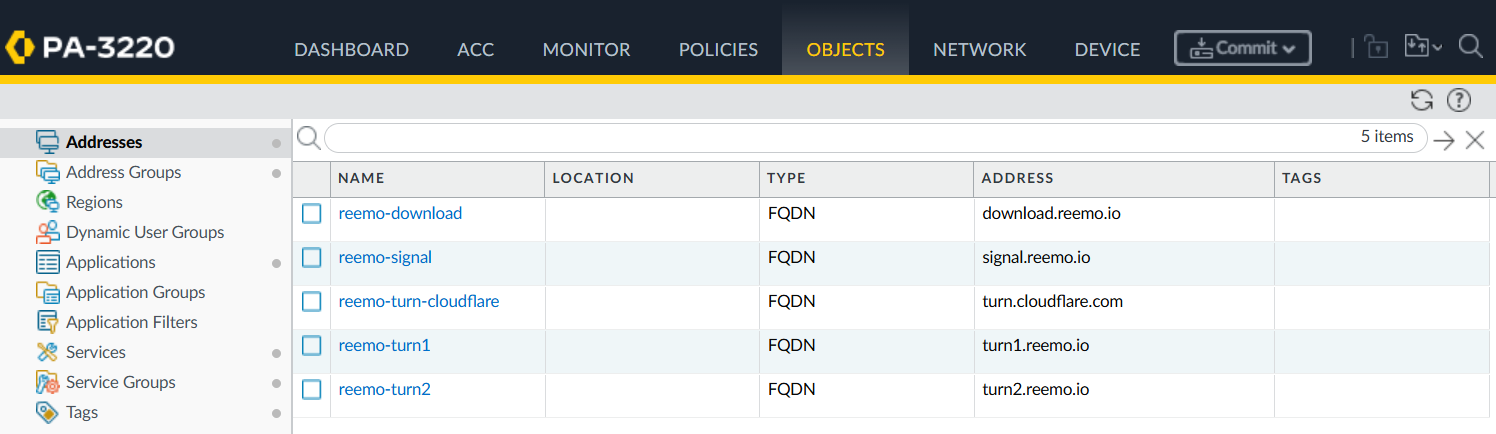
Reemo addresses configured in Objects > Addresses.
Then group them in Objects > Address Groups:
reemo-cloud: groups the 5 addresses above.
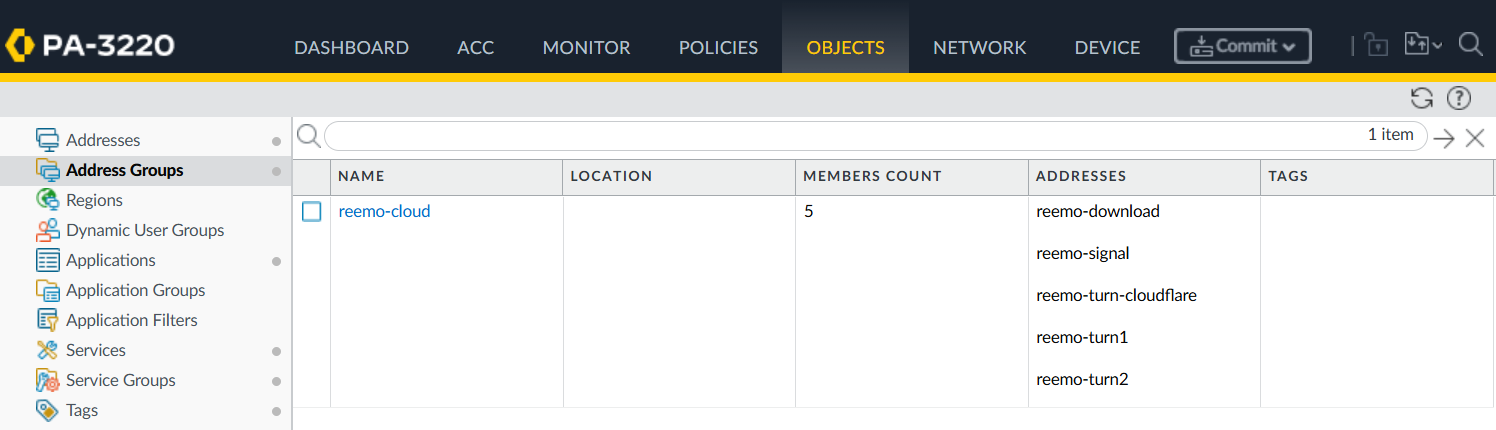
reemo-cloud address group, grouping the 5 Reemo addresses.
Step 2: Add the required services
In Objects > Services, add:
reemo-turn-tcp-3478: Protocol
TCP, Destination Port3478reemo-turn-udp-3478: Protocol
UDP, Destination Port3478reemo-turn-udp-443: Protocol
UDP, Destination Port443reemo-media-udp: Protocol
UDP, Destination Port1024-65535, Source Port58200-58400
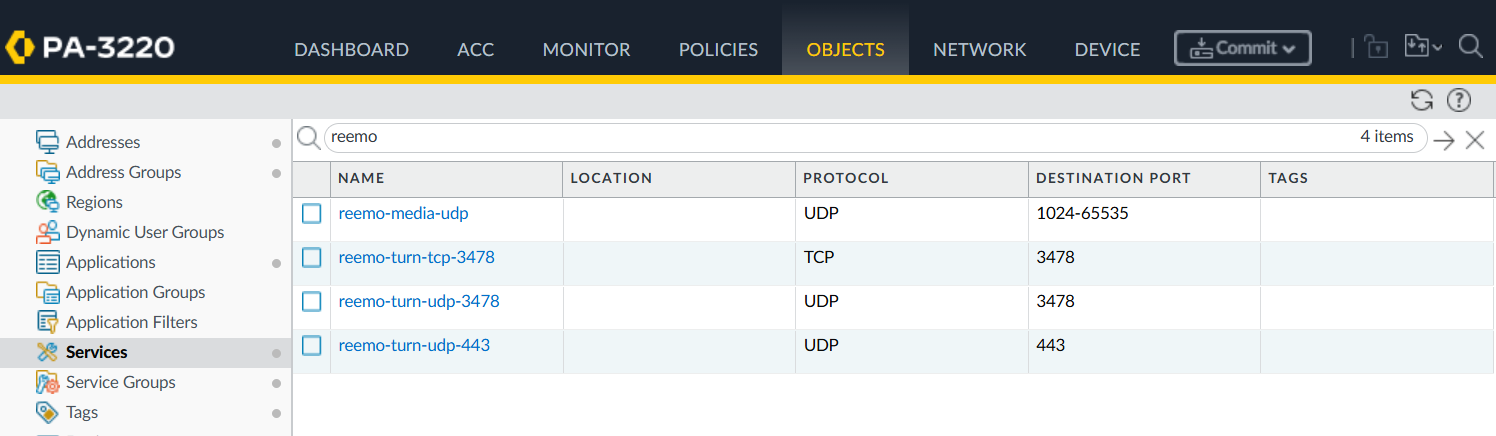
Reemo services configured in Objects > Services.
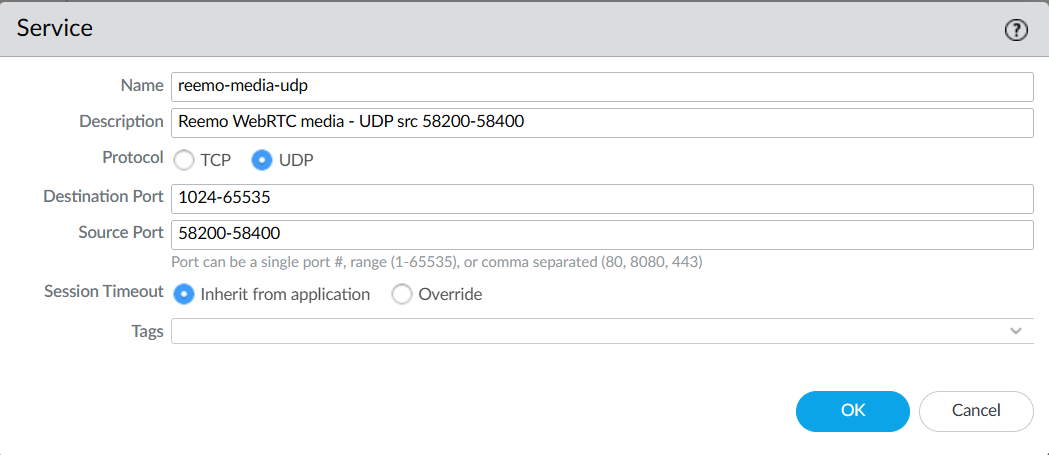
Detail of the reemo-media-udp service (WebRTC port range).
Note
The wide range (1024-65535) is required by WebRTC to establish peer-to-peer connections. Traffic remains end-to-end encrypted and restricted to Reemo communications.
Group the signaling services in Objects > Service Groups:
reemo-signaling: groups
reemo-turn-tcp-3478,reemo-turn-udp-3478,reemo-turn-udp-443and the predefinedservice-httpsservice.
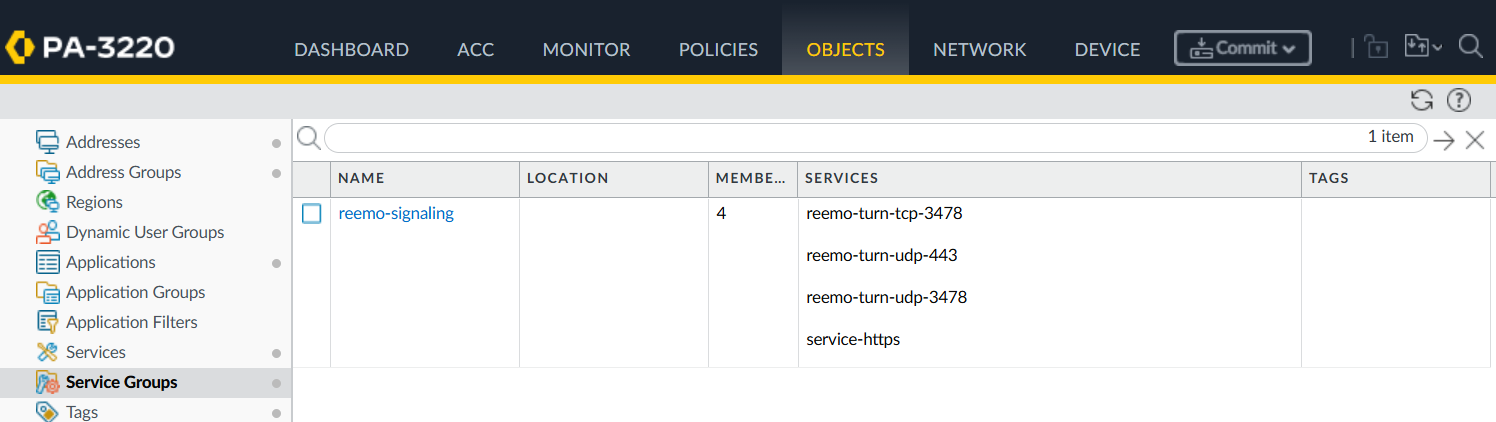
reemo-signaling service group.
Step 3: Create the security rules
In Policies > Security, add these two rules:
- Reemo-Signaling-TURN:
Source Zone:
trustDestination Zone:
untrustDestination Address:
reemo-cloudService:
reemo-signalingAction:
Allow
- Reemo-Media-P2P:
Source Zone:
trustDestination Zone:
untrustDestination Address:
anyService:
reemo-media-udpAction:
Allow
Note
The Reemo-Media-P2P rule targets any as the destination: the peer-to-peer WebRTC connection can reach a browser located anywhere on the internet, not just the Reemo infrastructure.
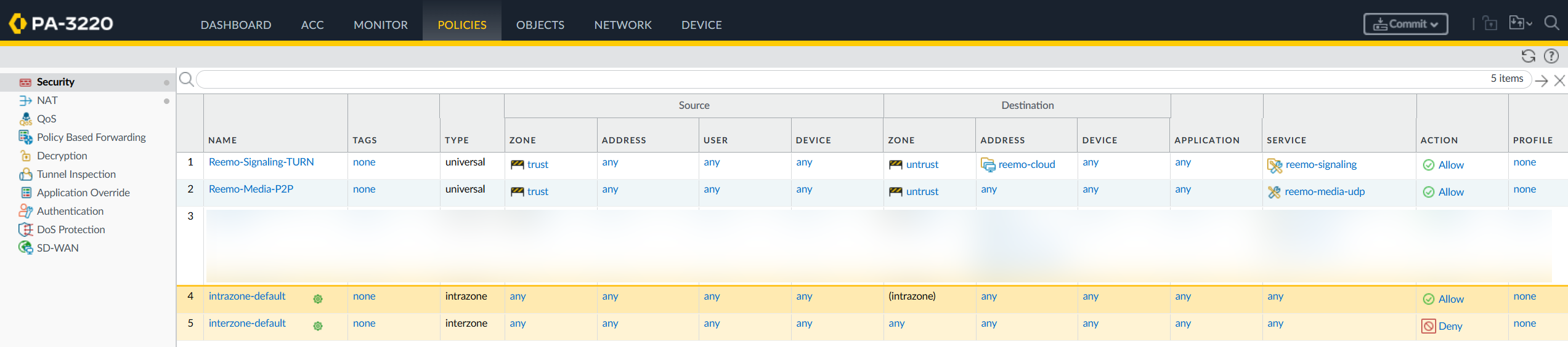
Overview of the configured security rules.
Step 4: Configure NAT
In Policies > NAT, add a source NAT rule for outgoing traffic:
- LAN-Source-NAT:
Source Zone:
trustDestination Zone:
untrustSource Address: your internal subnet (e.g.
192.168.50.0/24, adjust as needed)Translated Packet > Source Translation: see below (depends on your PAN-OS version)

Overview of the configured NAT rule on PAN-OS earlier than 11.1.
Note
For WebRTC sessions to remain stable behind this dynamic translation, the firewall must keep the same IP/port mapping for a given source (Persistent DIPP). Which translation type to select depends on your PAN-OS version:
PAN-OS earlier than 11.1: select
Dynamic IP and Port, then enable the persistent behavior globally on the firewall, in Device > Setup > Session (Session Settings), or via CLI:set system setting persistent-dipp enable yes.PAN-OS 11.1 and later: select
Persistent Dynamic IP and Portdirectly as the translation type — no additional global setting is needed.
Warning
In both cases, restarting the firewall is mandatory for the change to take effect.
Step 5: Let the agent send first
If the Reemo agent runs behind this firewall, have it send the first packet of the direct connection. Otherwise, the connection often falls back to a relay, with reduced performance.
In the Reemo web client, open the Settings panel, then the Stats tab.
In the Network section, set Direct path opening to Agent first.
The choice applies from the next connection. For all the options, see Stats.
Tip
To apply Agent first to every user of the machine, set punchOrder = agent-first in the [udp] section of reemo.ini instead, then restart the Reemo agent (see Configuration). The setting of the web client is then disabled.
Summary: Ports and addresses to open
Usage |
Protocol |
Ports |
Destination |
|---|---|---|---|
Signal server |
TCP |
443 |
|
TURN servers |
TCP/UDP |
3478, UDP 443 |
|
Download server |
TCP |
443 |
|
Reemo Media (P2P) |
UDP |
1024–65535 (src 58200–58400) |
|