Activity (Sessions)
Consult the history of the remote connections made in your organization, and export it as a CSV file.
Access: domain Organization > dashboard General > article Activity.
The same history is available in three places: the Sessions page of the organization (this page), the Sessions tab of a computer and the Sessions tab of a user.
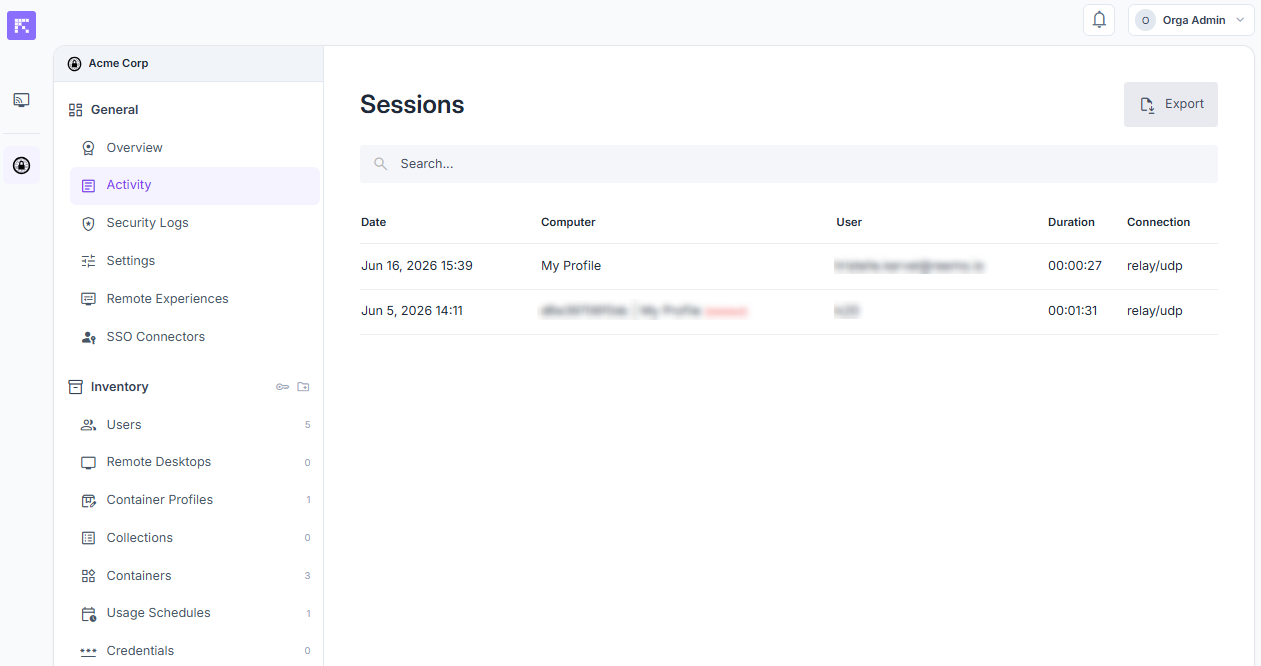
Global view of the organization’s activity logs.
Search the list with the search box, and click a column heading to sort it.
Export the Logs for a Period
Click Export.
In Period, click the field and select the start and end dates in the calendar. Choosing a period keeps the file small. Leave the field empty to export the whole history.
Click Export.
The logs are downloaded as a CSV file.
Consult the Sessions of a Computer
See all the connections made to a machine.
Open inventory_2 Inventory > tv Remote Desktops, then click the computer.
Open the Sessions tab.
Consult the Sessions of a User
See all the connections made by a user.
Open inventory_2 Inventory > group Users, then click the user.
Open the Sessions tab.
Displayed Information
Sessions of the Organization
Date: date and time of session start.
Computer: name of the computer concerned.
User: user who initiated the session.
Duration: total connection duration.
Connection: connection type (e.g. direct/udp).
Sessions of a Computer
Date: date and time of the remote session start.
User: user who initiated the session.
Duration: total connection duration.
Computer IP: IP address of the remote computer.
Client IP: IP address of the connecting client.
Sessions of a User
Date: date and time of session start.
Computer: name of the computer used.
Duration: total connection duration.
Organization: organization the session belongs to.
Computer IP: IP address of the remote computer.
Client IP: IP address of the connecting client.
Connection type: connection type (e.g. direct/udp).
See also
Securing Your Organization — Overview of the controls that protect your organization.