Permissions
The Permissions tab reports the current state of each browser permission relevant to your Reemo session:
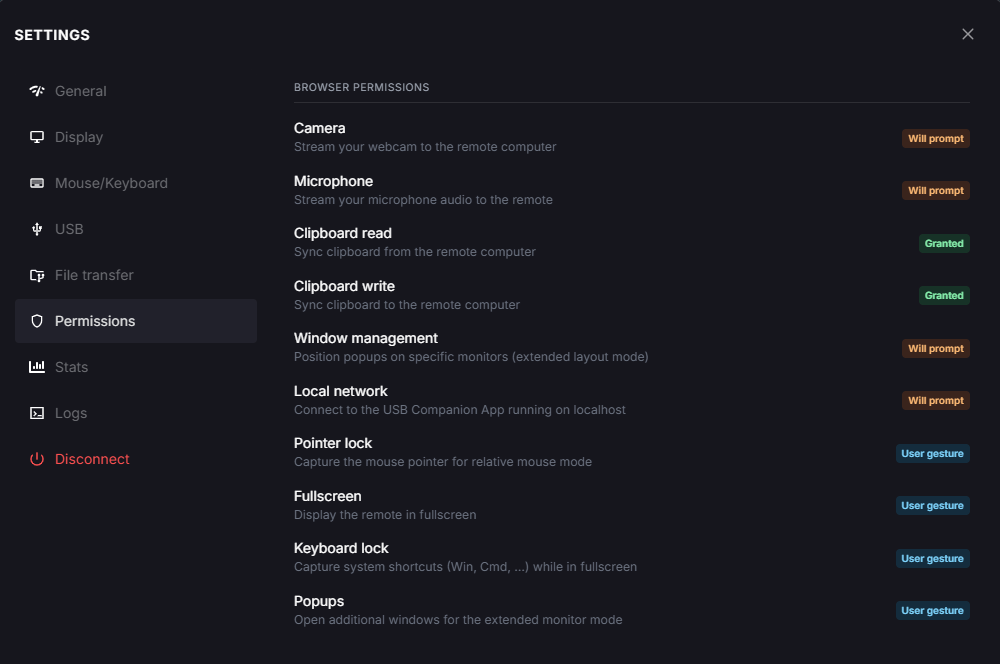
Settings panel, Permissions tab.
- Media:
Camera: stream your webcam to the remote computer.
Microphone: stream your microphone audio to the remote computer.
- Clipboard:
Clipboard read: sync clipboard from the remote computer.
Clipboard write: sync clipboard to the remote computer.
- Display:
Window management: position popups on specific monitors (Multiple screens).
Fullscreen: display the remote session in fullscreen.
Popups: open additional windows for Multiple screens.
- Input:
Pointer lock: capture the mouse pointer for relative mouse mode.
Keyboard lock: capture system shortcuts (Win, Cmd, …) while in fullscreen.
- Network:
Local network: connect to the USB Companion App running on
localhost.
Each permission shows one of the following states:
Will prompt: the browser will ask for this permission the next time it is needed.
Granted: the permission has already been granted and will not be prompted again.
User gesture: the permission is tied to a direct user action (for example, a click) rather than an explicit browser prompt.
If a permission you need is blocked, change it from your browser’s own site settings for the Reemo portal.
Back to the Settings panel overview.